Fishing Points - Fishing App
- 4.4
- Rating
- 10.00M
- Installs
- Free
- Price
 Analysis by App-foxy
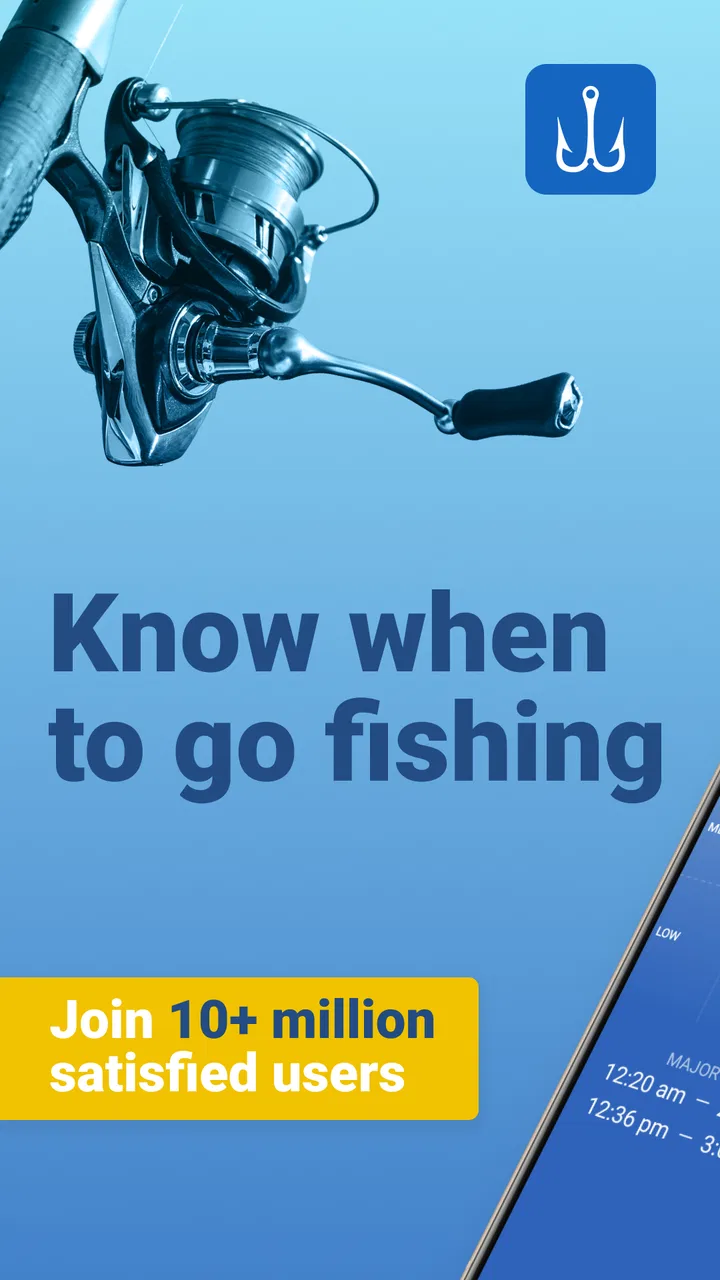
I look at fishing apps as practical tools rather than digital toys. The useful ones should help me decide where and when to fish, prepare for changing conditions, and remember what happened on previous trips without making me fight the interface. Fishing Points - Fishing App takes that focused approach. It is a free sports app from Fishing Points d.o.o. built around maps, fishing locations, tide information, and weather forecasts.
After using it as a planning companion, I found that its main strength is bringing several pieces of a fishing decision into one place. It does not replace local knowledge, a good forecast, or careful judgment at the water, but it can make the preparation stage much more organized. The app is rated 4.4 from around 200 thousand ratings, has passed 5 million installs, and is suitable for Everyone, which gives a useful sense of its broad appeal without changing the fact that it is designed mainly for anglers.
What I would consider before choosing a fishing app
My first decision criterion is location. A fishing app is only worthwhile if I can quickly mark useful places, move around a map without confusion, and return to those places later. Fishing Points puts location at the center of the experience, so it makes more sense for someone who explores several spots than for a person who always fishes from one familiar bank.
You May Also Like

 Pandora - Music & Podcasts
Pandora’s Music Is Easy to Start, but Harder to Recover
Pandora’s strength is its low-effort path from a seed to a station. Its weak spot is how much confidence it asks you to place in connection, setup, and quiet recovery.

 8 Ball Pool
 Is Built on Rivalries, Rematches, and Routine
A close look at the rivalries, rematches, shared routines, and unanswered safety questions that turn a quick pool match into a persistent mobile community.

 Samsung Music
’s Quiet Strength Is Playing What You Already Own
Its reach comes less from spectacle than from dependable access to a personal library. That simplicity is both the app’s strongest retention engine and its ceiling.

 AccuWeather: Weather Radar
AccuWeather Review: A Quick, Clear Forecast for Everyday Decisions
For everyday plans, the best forecast is the one you can understand quickly. AccuWeather makes rain timing, radar, and local conditions easy to act on, with a few trade-offs.

 Hill Climb Racing
Why Hill Climb Racing Still Turns Crashes Into One More Run
A tiny car, a bumpy hill and one more upgrade: Hill Climb Racing keeps resurfacing because its simple chaos makes every near-miss feel personal.

 AliExpress - Shopping App
AliExpress Makes Global Shopping Feel Personal, but Shoppers Bear the Risk
AliExpress turns a global marketplace into a pocket-sized discovery engine. Its reach is useful, its shopping loop compelling, and its trade-offs easy to miss.
More From Our News Desk
View All News


The second criterion is timing. Weather alone is not enough for many trips, especially when fishing near tidal water. I want to see the conditions that may influence a session before I leave home, then compare them with what I know about the water. The combination of tide and weather information is therefore more valuable to me than a simple forecast screen on its own.
The third criterion is workflow. I do not want to spend ten minutes entering details before a short evening session. At the same time, I appreciate an app that lets me build a useful record when I have a productive outing. The best balance is quick access for spontaneous trips and enough structure for repeated planning.
Finally, I consider whether the app helps me think or merely displays information. A forecast can show wind, temperature, or rain, but it cannot decide whether a particular shoreline is safe, accessible, or worth the drive. Fishing Points is most effective when I use it as a decision aid rather than treating its predictions as a promise of a catch.
Maps are the part I return to most
The map view gives the app a practical identity. Instead of keeping fishing locations in a separate notes app and checking weather somewhere else, I can connect a place with the conditions I am preparing for. That small change matters when I am comparing several possible spots and want to avoid relying on memory alone.
I find this especially useful when planning an unfamiliar outing. I can look at the area, identify possible locations, and then check the relevant forecast before deciding whether the trip is realistic. The process is less glamorous than discovering a secret fishing hole, but it is much more useful than browsing random pins without a plan.
A good habit is to mark locations according to how I use them, rather than treating every saved point as equally promising. One place might be convenient for a quick session, another might be better in a particular wind direction, and a third may only make sense with favorable tide timing. The app becomes more valuable when my saved locations reflect those distinctions.
Tide and weather work better as a pair
The tide information is one of the clearest reasons to choose this app instead of a basic weather application. For coastal anglers, timing can affect access, current, bait movement, and the comfort of a session. Weather adds another layer by helping me judge wind, rain, and general conditions before committing to the trip.
I would not read either screen in isolation. A tide that looks attractive may coincide with uncomfortable weather, while a calm forecast may arrive at a less useful stage of the tide. My preferred workflow is to check the location first, review tide timing, then use the weather view to decide whether the conditions are worth the journey.
That approach also exposes an important limitation: the app can organize environmental information, but it cannot know the full character of a specific spot. Local currents, access restrictions, water clarity, seasonal behavior, and recent catches still require personal knowledge or advice from anglers who know the area. Anyone expecting an automatic “best place to fish” button will probably find the experience less decisive than the store summary suggests.
How Fishing Points fits different anglers
I find the biggest difference between anglers who benefit from Fishing Points and those who don’t is how often their plans change. If I’m weighing several locations or need to coordinate a coastal outing with tide and weather, the map-based approach gives me a useful place to compare options. Someone who fishes one familiar spot may get more lasting value from a simpler forecast, so the next question is whether the app’s planning routine stays helpful beyond the first few trips.
A strong choice for planning several locations
I think this app suits anglers who move between lakes, rivers, coastlines, or different sections of the same water. Its map-based approach is more useful when the question is “which of my possible places makes sense today?” rather than “what is the weather this afternoon?” That distinction separates it from ordinary weather apps.
It is also a good fit for people who enjoy preparing the night before a trip. I can review possible spots, compare timing, and make a more informed choice instead of deciding at the last moment. Newer anglers may appreciate that structure because it encourages them to think about conditions rather than simply showing up and hoping for the best.
For experienced anglers, the value is more subtle. The app does not replace a personal logbook or local expertise, but it can act as a convenient layer over those habits. I can use it to organize where I want to go, then combine that information with my own knowledge of bait, tackle, access, and seasonal patterns.
Where a simpler alternative may be better
If I only need a general weather forecast, a normal weather app is likely faster. It may offer a cleaner presentation for rain, temperature, and wind, without the extra fishing context. Likewise, someone who fishes exclusively at one private pond may gain little from a map-centered tool if the location and routine never change.
A dedicated marine or navigation product may be more appropriate for users whose priority is boating safety, route planning, or detailed on-water navigation. Fishing Points is centered on fishing decisions, not on turning a phone into a complete navigation system. That makes it more approachable for shore anglers, but it also means I would not choose it as my only tool for a demanding boat trip.
There is another trade-off for anglers who already maintain a detailed paper journal. A notebook can capture observations in any format, including bait changes, water color, conversations, and personal impressions. Fishing Points is more convenient for location-based planning, but a handwritten log may remain better for rich storytelling and highly customized records.
A realistic weekend workflow
Imagine I have a free Saturday morning and three possible places in mind. On Friday evening, I would open the map, review the saved locations, and check the forecast for each area. If one location has a more suitable tide window but unpleasant weather, I can compare it with a sheltered alternative instead of making the decision from a single headline forecast.
Before leaving, I would use the app to confirm the selected place and timing, then keep my expectations realistic. I would still check local access information, prepare appropriate clothing, and tell someone where I am going. At the water, the app can support the plan, but it should not distract me from slippery ground, changing conditions, or safe handling of equipment.
After the session, the most useful habit is to update my own notes while the details are fresh. I would record what the app showed, what I actually experienced, and whether the location worked as expected. That comparison helps me judge the quality of my decisions over time instead of assuming that a favorable forecast automatically means a productive trip.
Small habits that improve the experience
One useful technique is to compare locations under the same time window. Looking at one place today and another place tomorrow can create a false impression, while checking several options for the same outing makes the choice more meaningful. This is a simple way to use the map and forecast together instead of browsing them separately.
I also recommend treating saved points as planning references, not guarantees. A location that worked once may be unsuitable after a weather change, seasonal shift, or access change. Keeping that distinction in mind prevents the app from turning old information into overconfidence.
For coastal trips, I would check tide timing before packing the rest of the gear. That reverses the usual habit of choosing equipment first and location second. If the timing is awkward, I may save the trip for another day or choose a spot where the conditions are easier to manage. This is one of the more practical benefits of having tide information close to the map.
Another worthwhile habit is checking the app before leaving and then again near the start of the session, rather than relying on a forecast seen several days earlier. Conditions can change, and a fishing plan should remain flexible. The app helps me make that adjustment quickly, but it does not remove the need for common sense.
What the free version means in practice
Fishing Points is free to download, which makes it easy to test without committing money at the beginning. The app includes in-app purchases ranging from $0.99 to $49.99 per item. I would therefore approach it as a try-first product: install it, examine the parts of the map and planning workflow that matter to my fishing, and only then decide whether paid additions are worthwhile.
The important question is not simply whether the app costs nothing at the start. It is whether the free experience covers the locations and planning habits I actually use. Someone who only needs occasional checks may be satisfied without spending anything, while a frequent angler may eventually consider extra features useful. I would make that decision based on repeated use, not on the assumption that every available purchase is necessary.
This pricing structure can also affect the cost of switching from another tool. If I already have a collection of locations in a notes app, spreadsheet, or paper journal, moving everything may take more effort than downloading the app. I would begin with a small set of frequently used spots rather than trying to recreate my entire history in one sitting.
Device support and everyday usability
The current version is 4.5.8 and runs on devices using Android 8.0 or later. That requirement covers many relatively older Android phones, although anyone using an older handset should check compatibility before planning around it. The app’s broad install base suggests that it is not a niche experiment, but popularity does not guarantee that every phone will feel equally quick or comfortable.
On a small screen, map interaction can naturally feel more cramped than it would on a larger display. I would do detailed planning at home, where I have time to compare places, and use the phone outdoors mainly for checking the plan. That division reduces the temptation to make complicated decisions while standing in poor weather or near difficult terrain.
The Everyone age rating makes the app approachable for households where fishing is a shared activity. Still, younger users should be accompanied and taught water safety; an age rating describes app content, not the risks of the fishing environment. That distinction is easy to overlook when a digital tool feels simple and friendly.
Limitations I would want new users to understand
The biggest limitation is that information does not equal interpretation. A tide chart and forecast can help me prepare, but they do not explain why one shoreline fishes better than another on a particular day. If I am looking for highly specialized species guidance, detailed tackle advice, or a deep social community, I may need another resource alongside this app.
I also would not use it as a substitute for safety planning. Weather can deteriorate, reception can be unreliable, and a phone battery can disappear at the least convenient moment. I would download or note essential plans where possible, carry the equipment appropriate to the outing, and avoid depending on a screen for decisions that should be made with direct observation.
There is a learning curve in deciding how much information is useful. New users may initially check every available condition and end up overanalyzing a simple trip. I get better results by choosing a few decision points: location, timing, weather comfort, and access. The app supports that process, but I have to provide the discipline.
Who should install it, and who should skip it
I would recommend Fishing Points to anglers who want a single planning space for fishing locations, tide information, and weather. It is particularly suitable for people who explore, plan coastal sessions, or want to make their choices more deliberate. The free entry point makes it reasonable for beginners to test, while its map-centered workflow can remain useful as their habits become more organized.
I would be less enthusiastic for someone who wants only hourly weather, a complete marine navigation solution, or an automatic catch prediction. In those cases, a focused weather, navigation, or specialist fishing resource may be a better match. The app works best when the user understands its role: it helps prepare and compare, but it does not replace experience.
My final recommendation is positive, with sensible expectations. Fishing Points - Fishing App earns a place on my phone because it connects the practical questions I ask before a trip: where should I go, when does the timing make sense, and what might the weather feel like? Its developer, Fishing Points d.o.o., has kept the concept focused enough to be useful without making it a general-purpose outdoor suite.
I would start with a few familiar locations, test the map and forecast workflow across several outings, and judge the app by whether it improves my decisions rather than by whether every trip produces fish. Its real advantage is organized preparation, not guaranteed results. For anglers who value that distinction, it is an easy app to try and a useful companion to keep; for everyone else, a simpler forecast or a more specialized tool may be the smarter choice.
FAQs for Fishing Points - Fishing App
01What features does Fishing Points offer for fishing enthusiasts?
Fishing Points provides a comprehensive suite of features, including GPS fishing locations, an offline map mode, and a personal catch log. It also offers weather forecasts, tide schedules, and moon phases, which are essential for planning successful fishing trips. The app supports importing and exporting GPS data, making it a versatile tool for both amateur and experienced anglers.
02Is Fishing Points available offline, and how does it work?
Yes, Fishing Points offers an offline mode that allows users to access maps and saved fishing locations without an internet connection. This feature is particularly useful for remote areas where network coverage may be limited. Users can download maps in advance and use the app’s GPS functionality to navigate to their fishing spots even when offline.
03How does the weather forecast feature in Fishing Points enhance fishing trips?
Fishing Points provides detailed weather forecasts, including wind speed, temperature, and atmospheric pressure, which are crucial for planning fishing trips. The app also includes tide schedules and moon phases, helping anglers determine the best times to fish. This information can significantly improve the chances of a successful and safe fishing experience.
04Can I log my catches in Fishing Points, and how is the data stored?
Yes, Fishing Points allows users to log their catches, including details such as species, weight, length, and photos. This personal catch log helps anglers track their progress and remember successful fishing spots. The data is stored within the app and can be exported, ensuring that users can back up their logs or share them with others.
05Is Fishing Points suitable for both beginners and experienced anglers?
Absolutely, Fishing Points is designed to cater to all levels of fishing enthusiasts. Beginners can benefit from the educational content and easy-to-use interface, while experienced anglers will appreciate the advanced GPS and weather features. The app’s customizable settings and extensive data make it a valuable tool for anyone looking to enhance their fishing experience.
Pros
- User-friendly interface for easy navigation.
- Accurate GPS and weather updates.
- Customizable fishing log to track catches.
- Offline maps for remote fishing spots.
- Tide charts and solunar calendars included.
Cons
- Premium features require subscription.
- Battery consumption can be high.
- Occasional GPS inaccuracies reported.
- Limited community features for social sharing.
- No night mode for low light conditions.

Fishing Points - Fishing App
Gallery